 Yazito
All of PDF, without your documents leaving the computer
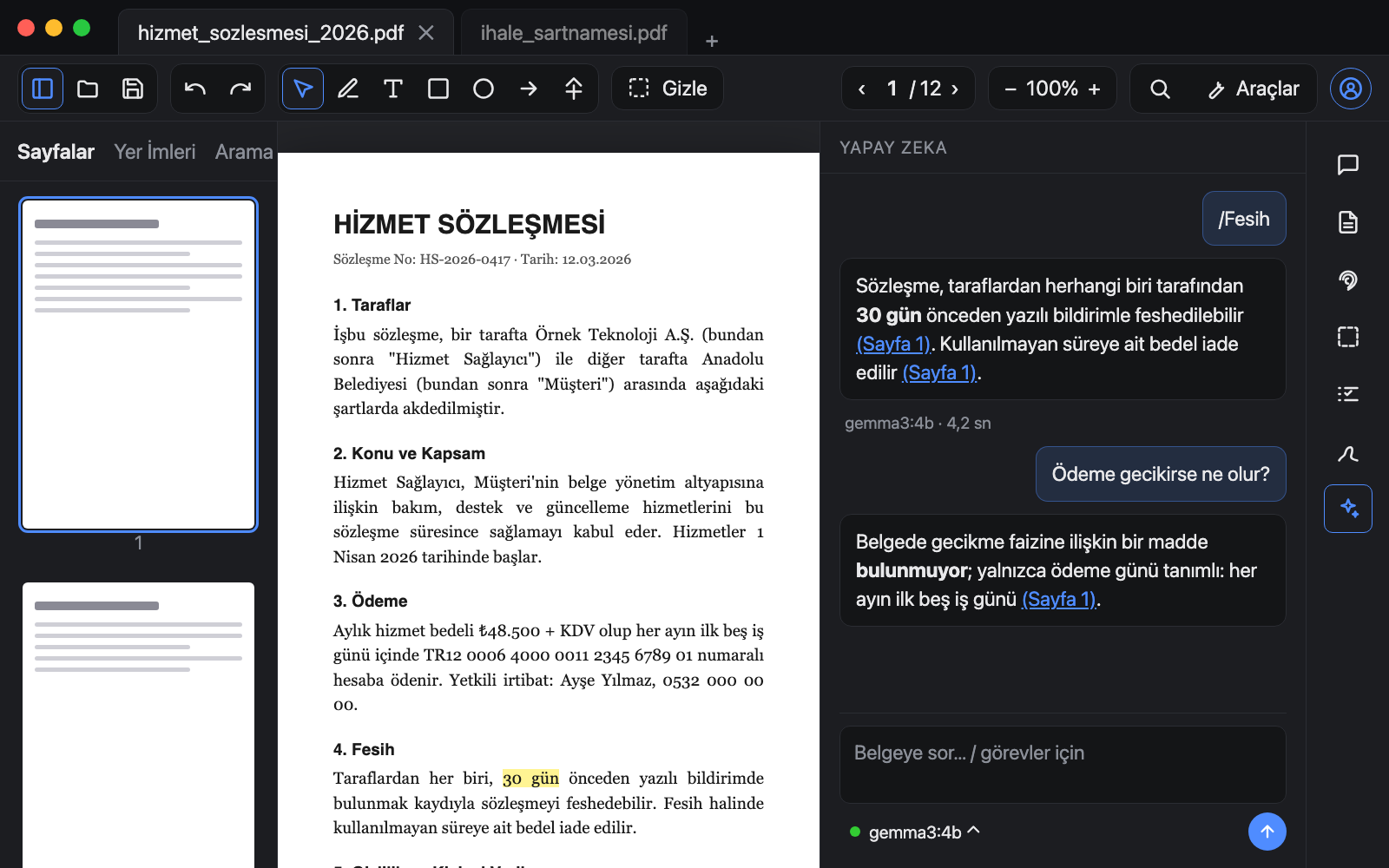
OCR, permanent redaction, smart-card signatures, PDF/A archiving and a local AI that answers questions about the document. Everything organisations pay Acrobat for, in one app, with no server.
Who it is for, and what for
Each profession uses a different part of Yazito. Pick your page to see the daily flow, the features used and the right plan.
Three steps, no server
Download and open
Signed packages for Windows, macOS and Linux. No admin rights; MSI for central deployment.
Sign in
Your Pro licence arrives on the device by itself; nothing to paste. File import stays for air-gapped networks.
Open a document, work
OCR, redaction, signing, PDF/A and AI run on your computer. The internet is used only for updates and licence checks, never for document content.
Four questions organisations ask, four straight answers
Where is the document processed?
On the computer. OCR, AI and signing alike. Installs on air-gapped networks; there is no server.
What about privacy law?
Because documents never leave, there is no processor agreement, no cross-border transfer, no cloud question.
How does the subscription work?
$3 a month or $29 a year per seat. Cancel whenever you like; the free edition and your files stay with you.
Am I locked in?
No. PDF/A and PAdES are open standards; files you produce open everywhere.
Monthly or yearly, cancel anytime
Free
- Viewing, search, page tools
- Annotations, shapes, pen, presentation mode
- Form filling, compare
- Open Office documents as PDF
Pro
- OCR and searchable PDF
- Permanent redaction and personal-data scan
- Digital signatures (PAdES, smart cards, LTV)
- PDF/A conversion and validation
- Local AI and team skills
- All updates included; cancel anytime
Enterprise
- Site licence, air-gapped networks
- On-premise server and API
- Purchase by invoice
- MSI and DEB deployment
- Team console: devices, members, skills
| Feature | Free | Pro | Enterprise |
|---|---|---|---|
| Viewing, search, annotations, presentation mode | ✓ | ✓ | ✓ |
| Merge, split, compress, rotate, compare | ✓ | ✓ | ✓ |
| OCR with scan cleanup | — | ✓ | ✓ |
| Permanent redaction, entity scan, verification | — | ✓ | ✓ |
| Digital signatures (PAdES, LTV, timestamps) | — | ✓ | ✓ |
| PDF/A conversion and veraPDF validation | — | ✓ | ✓ |
| Local AI, team skills | — | ✓ | ✓ |
| Text editing | — | ✓ | ✓ |
| On-premise server, API, audit log | — | — | ✓ |
| Central deployment, organisation licence management | — | — | ✓ |
Sign in inside the app and the licence arrives on the device by itself. One seat covers two devices. 14-day no-questions refund on the first payment. Manage devices and your subscription in the console.
Frequently asked
Do my documents go to any server?
No. OCR, redaction, signing, conversion and AI run on your computer. The app contacts the server only when you sign in and at most once a day to check licence renewals; document content is never sent.
Which signature cards are supported?
Any smart card or USB token with a PKCS#11 driver. If the driver is installed, Yazito sees the card.
What does the AI need?
Nothing extra: Yazito ships a built-in runtime and downloads the model you pick on first use (1–5 GB); a computer with 8 GB of memory is enough. If Ollama is installed it is used instead. The document text is handed to the model on the machine.
Is the licence per computer or per person?
Per person; each seat covers two devices. When you change computers, remove the old one in the console. For organisation-wide deployment see Enterprise.
What happens if I cancel?
Pro keeps working until the end of the period you paid for; then the app returns to the free edition. Your files are in open formats, so nothing is locked; subscribe again and Pro comes back.
Do I need to install anything else?
Not for most work. Three features use open-source tools on your system: Tesseract for OCR, veraPDF for the PDF/A report, LibreOffice for Office files. AI ships with a built-in runtime. Yazito finds them by itself; install commands are on the download page.
Linux?
Yes. A .deb package for Debian-based distributions and an AppImage for the rest. No internet needed to install or run.